Native Tv
Your TV, your rules. An open-source dashboard, privacy toolkit and Home Assistant bridge for rooted LG webOS TVs.
Note
The TV belongs to its owner.
Native Tv is for owners who do not want a network-connected appliance used as a platform for advertising, telemetry and vendor-controlled experiences. It brings control, visibility and automation back to the device: ways to remove ads, withdraw from agreements and services that monetise the owner's data, and a simpler TV, with customisation and local smart-home integration.
Native Tv itself is local and transparent, and needs no cloud service. It collects no data, shows no ads and has no dark patterns.
Native Tv is a server that runs directly on a rooted LG webOS TV, with a live dashboard for any phone or computer browser and a native app on the TV itself.
What it does
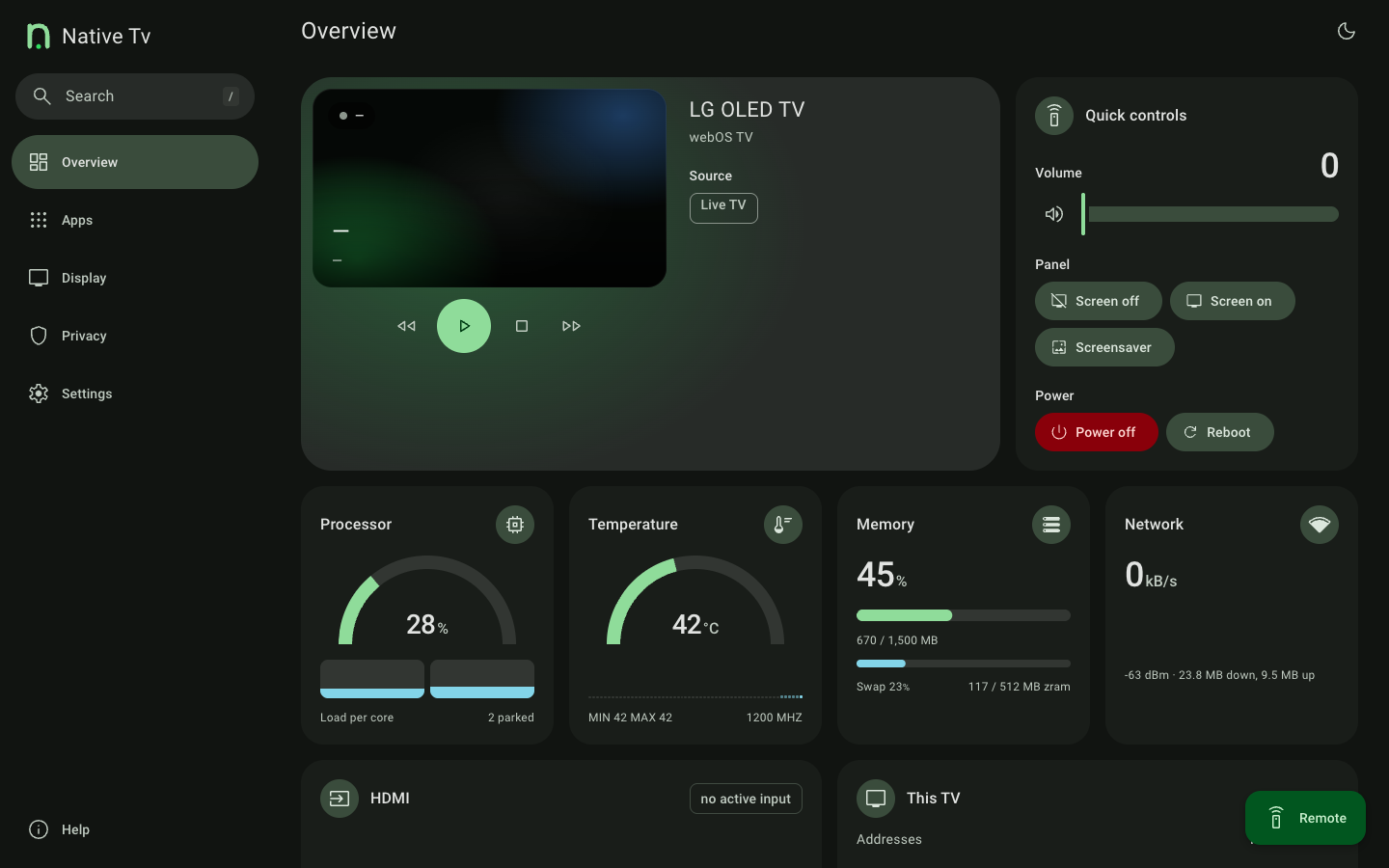
- Control the TV without the cloud. D-pad, volume, playback keys, app launcher, picture presets, sound output, power and reboot.
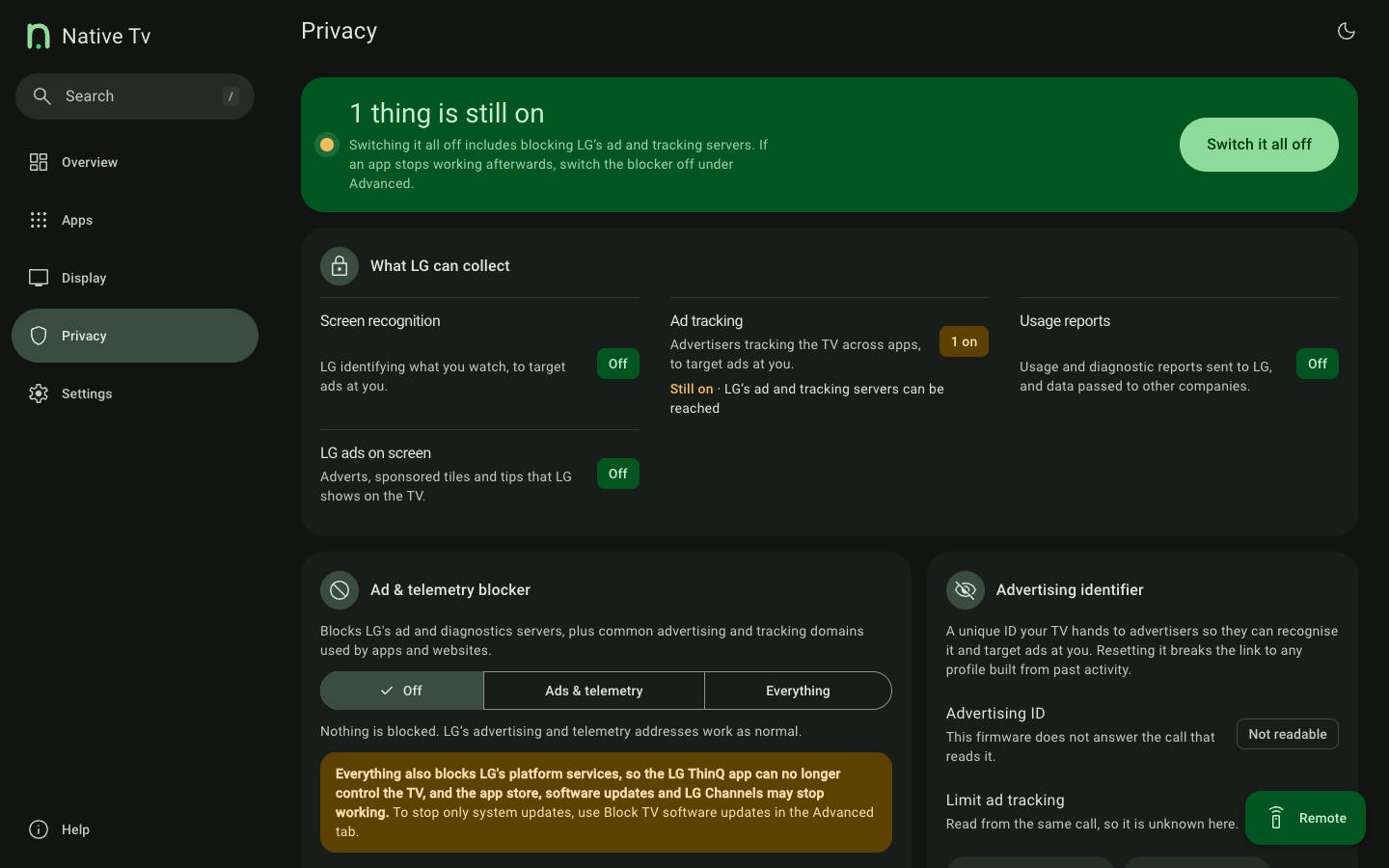
- See what the TV collects, and switch it off. LG's content recognition (ACR, Live Plus), the advertising identifier, data agreements, and an on-TV blocker for LG's ad and telemetry servers. What LG's ACR does.
- Debloat and clean up. Install Homebrew Channel apps, uninstall LG apps, stop background services, hide system apps from the launcher.
- Remap the remote's buttons. Point Netflix, Prime Video, Guide and the colour keys at any app, HDMI input or Live TV.
- Replace the screen saver with a clock, starfield, fireworks or the TV's own readings.
- Protect and monitor an OLED panel. Panel hours, Pixel Refresher scheduling, and switches for screen shift, logo dimming, ASBL and Global Stress Reduction.
- Connect it to Home Assistant. An MQTT bridge with Discovery exposes the TV as one device; the remote's buttons can trigger automations. Prometheus metrics and log forwarding are there for monitoring.
- Open the service menu from a browser, with no service remote, and unlock it where newer firmware cuts it down.
- Use it on the TV itself. A native app on the home screen, driven by the remote and drawn at 60 frames a second.
Compatibility
- webOS: 4 and later. The native server is verified on one TV, an LG B3 on webOS 10.3.2; reports from 48 TVs on earlier releases are in Tested TVs. LG names its versions two ways: webOS version numbers.
- Panels: OLED (panel wear telemetry and burn-in controls) and LCD (the OLED Care tab hides itself).
- Access: rooted with the Homebrew Channel, over SSH or telnet. The TV needs no internet access.
Disclaimer
Use this software at your own risk.
- Root access and hardware. This runs custom software with
rootprivileges on an embedded TV OS. It is designed to be lightweight and to leave the read-only rootfs untouched, but the author accepts no responsibility for damage, bootloops, bricked devices, voided warranties, data loss or panel issues. - Power and control commands. Reboot, power off, screen blanking and Pixel Refresher scheduling issue low-level
luna-sendcalls. Understand what each does before using it. - Trademarks. An independent, unofficial community project, not affiliated with or endorsed by LG Electronics. webOS is a trademark of LG Electronics.
- Third-party components. Fonts, icons and libraries keep their own licences, listed in THIRD-PARTY-NOTICES.md.
License
MIT. See LICENSE.
Credits
Native Tv grew out of Glasshouse by Rory Gallagher, released under the MIT licence; his copyright notice is kept in LICENSE. Bundled third-party work, with its licence (THIRD-PARTY-NOTICES.md has the texts):
- CivetWeb: the HTTP server (MIT)
- json-c: JSON, from the webOSbrew SDK (MIT)
- NanoSVG: SVG rendering on the TV (zlib)
- QR Code generator by Project Nayuki: the QR codes (MIT)
- StevenBlack/hosts: the advertising hosts reviewed for the blocker (MIT)
- Roboto and Figtree: fonts (Apache-2.0, OFL-1.1)
- Material Design Icons and Material Symbols: icons (Apache-2.0)