The dashboard
The dashboard has five sections, and tabs inside three of them. Each tab has a deep link, /?tab= and its name below, and the links of earlier releases (control, metrics, system) still open the right place. OLED care appears on OLED TVs only, and Game mode and Native Tv Home where the TV offers them.
The sections are a bar along the bottom on a phone, a rail down the left on a tablet and a drawer down the left on a computer. The keys 1 to 5 open them. The Remote button, bottom right on every screen, opens the D-pad and the remote's keys.
- Overview: Control and Metrics together, as one screen: what the TV is showing, the volume and power, then the readings
- Apps: Installed (
apps), Catalogue (catalogue), Home screen (homescreen) and Native Tv Home (home) - Display: OLED care (
oledcare), Screen savers (screensaver) and Game mode (game) - Privacy: Privacy, screen recognition, ad tracking, data agreements and the blocker
- Settings: Home Assistant (
mqtt), Server and backup (server), Tools and logs (tools), Advanced and the Service menu (servicemenu)
For the app on the TV's home screen, see The TV app.
The page works with no internet access. It follows the system's light or dark setting; the button at the top right steps through Auto, Dark and Light, and /?theme=light or /?theme=dark sets it for the visit. The choice is kept in the browser.
Use the search button (at the top of the drawer on a computer, in the top bar elsewhere), or press / or Ctrl/Cmd + K,
to find sections, settings, controls, and installed apps. Useful destinations can be pinned
with the star beside a search result, keeping shortcuts to them in the drawer.
In both themes
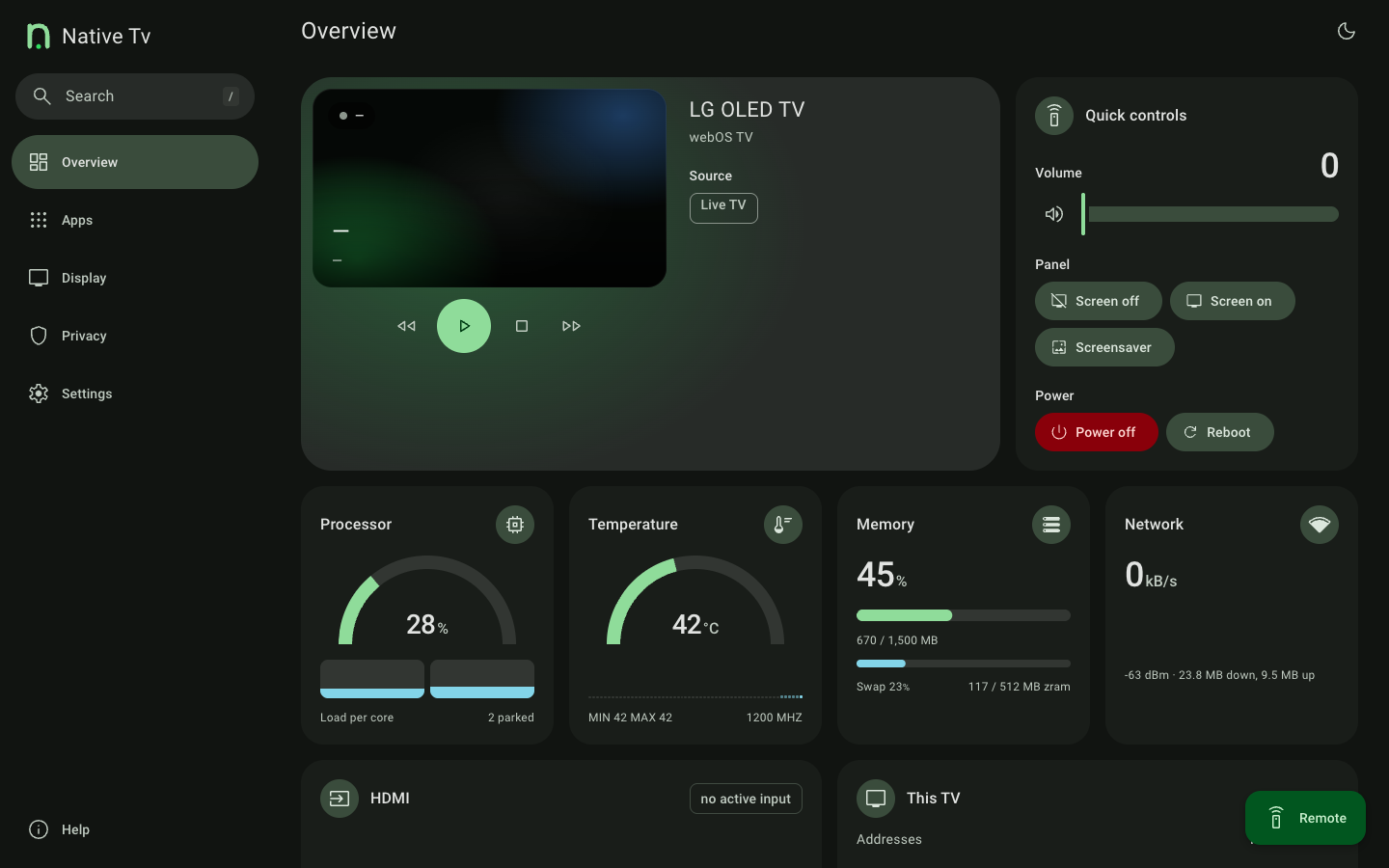
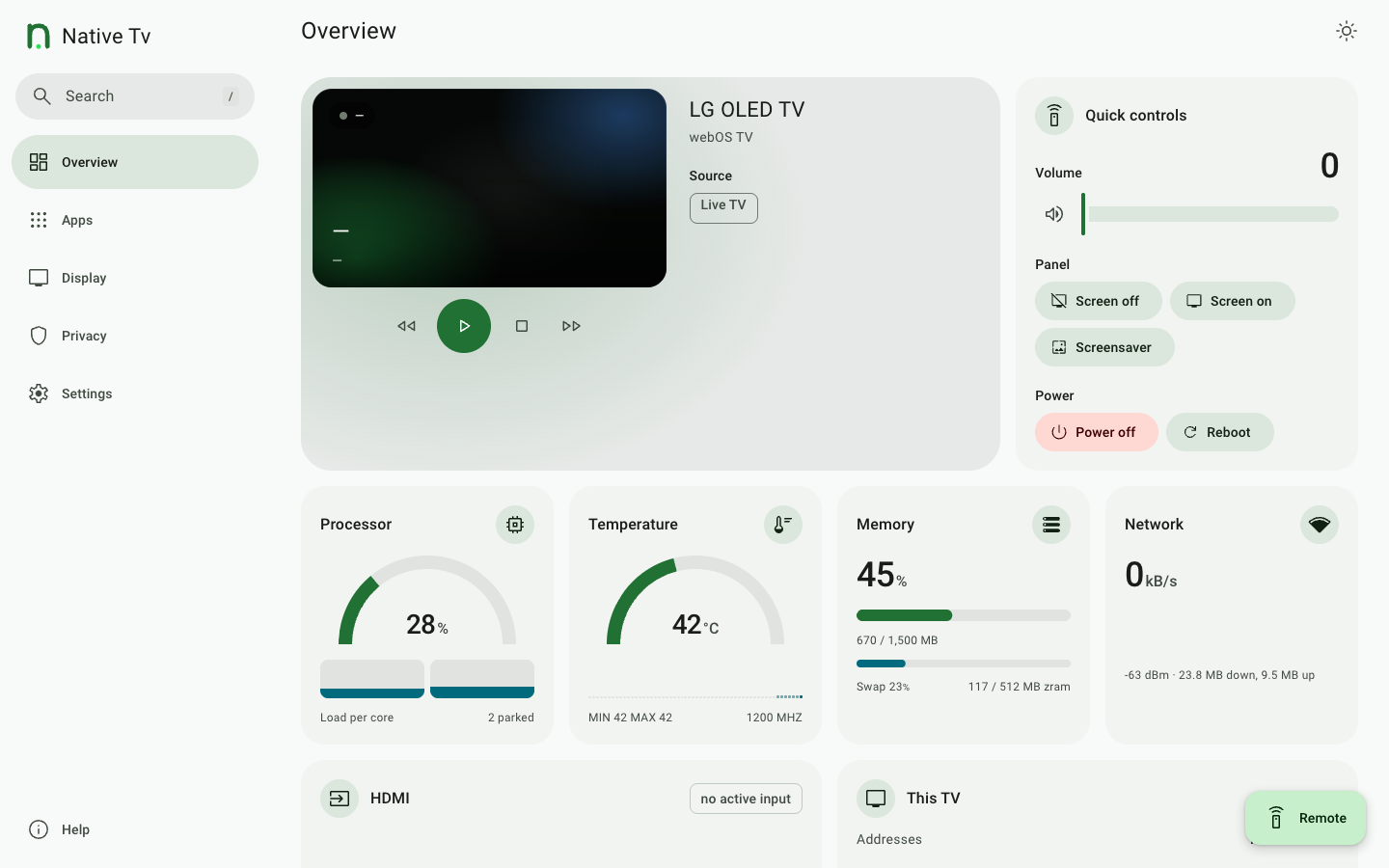
The Overview screen in the dark and light themes.